Interior design app: how to choose one
There is no single best interior design app, because apps do different jobs: restyling a photo of your room, drawing a floor plan or staging a listing. Decide which job you have, then test any app on one photo of your own room with six checks: does it keep the real room, how much do you control, what are the free limits, does it run in a browser or need a download, how honest is the result and where do your photos go. This guide walks through the checks with five real before and after rooms made in HomeCompose, a photo-based tool that works in your browser.
What is the best interior design app? Start with the job, not the name
The best interior design app is the one that does the job you have. A ranked list of names cannot know whether you want to see a new look on your own room, work out where a sofa goes or show an empty house furnished for a sale. Those are three different tasks, and an app that does one well may not do the others.
| Your job | What the app works from | What you get back |
|---|---|---|
| See a new look on your own room | A photo of the room | A restyled picture of that room, with new finishes, color, furniture, textiles and decor |
| Plan a layout or check what fits | Measurements or a floor plan | A plan or 3D view of the space. Check whether it is to scale or only a picture |
| Show an empty room furnished for a sale | A photo of the empty room | A picture with furniture added, for a listing |
HomeCompose belongs in the first row: Interior Design starts from your photo and restyles it. For the second job, a planner that works from measurements is the right kind of tool. The 3D Floor Plan (Pro plan) turns a 2D floor plan into a furnished 3D view, but it is still a picture, not a measured drawing.
If the photos are for a property listing, the checks change. You need results that stay true to the property, and disclosure rules apply. Read our guides to virtual staging software and AI real estate photo editing first.
How to choose an interior design app: six checks
Run the same checks on every app, with the same photo. Use a plain, well-lit photo of a room you know well, so you can see what the app changed. The five examples below were made in Interior Design from licensed stock photos. Small logos and labels on a TV, an oven, a towel rail and a computer, and a few other small items such as a card, a magnet and a box, were blurred in the before photos, and nothing else was retouched.
1. It keeps your real room
This is the first test, because a picture of a different room is no help. Put the result next to your original and check what cannot move: the walls, windows, doors, ceiling line, built-in features and camera angle. If a window has changed size or a door has gone, the app has redrawn the room instead of restyling it.
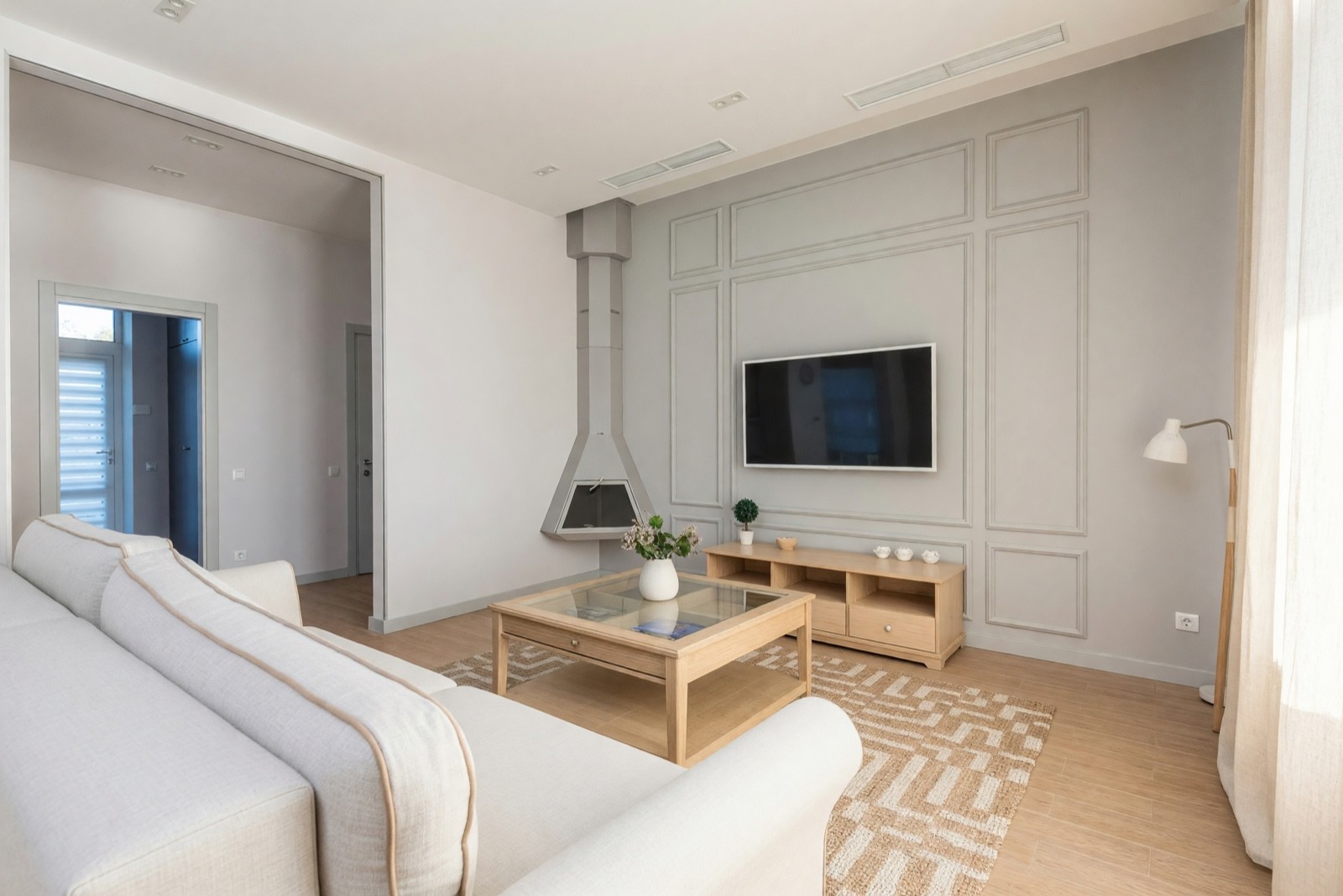
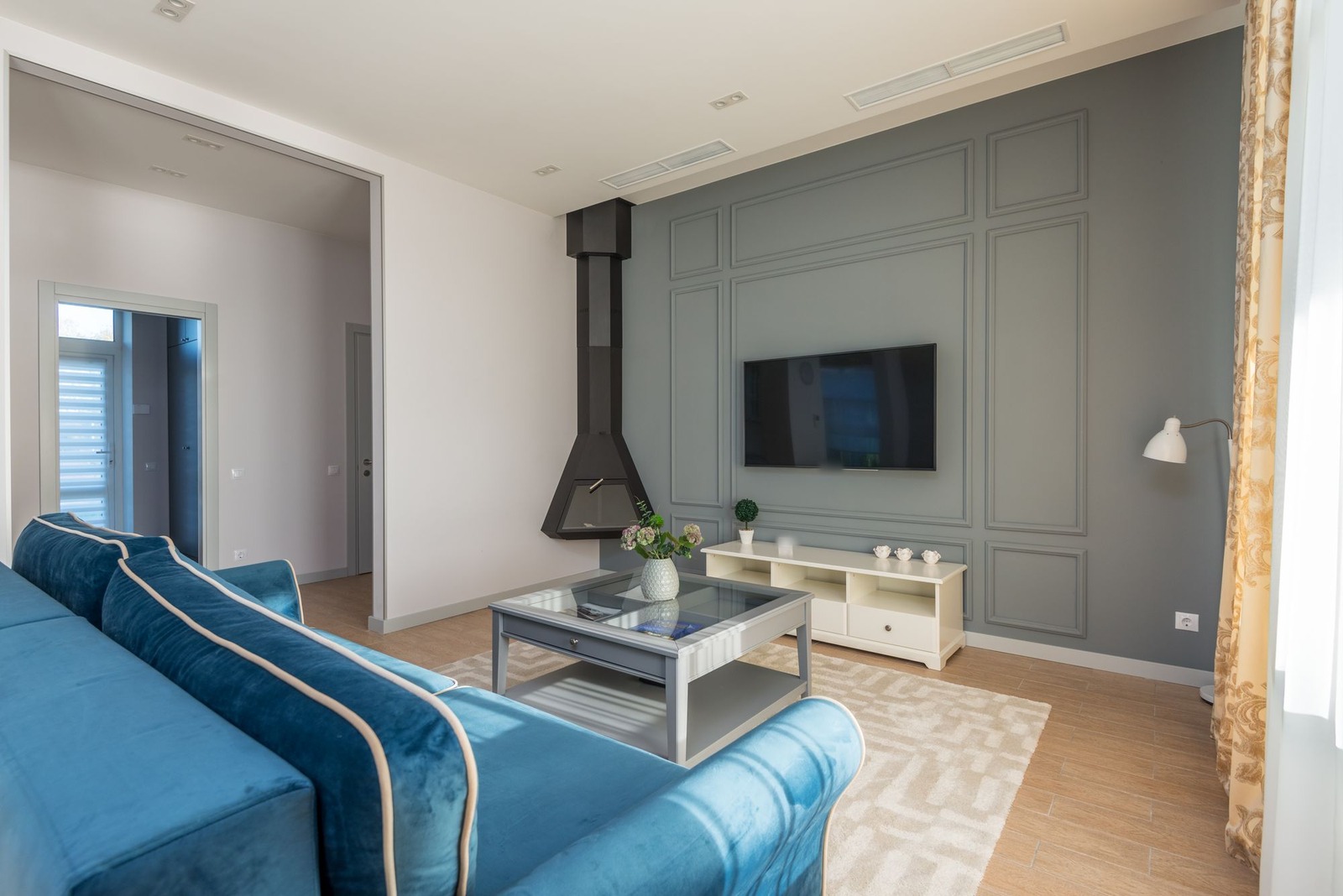
Look at the frame of the room. The molding on the TV wall, the open passage, the glazed door and the spotlights sit where they did. The furniture, the curtain and the colors changed. That is the pattern to look for: change inside the room, none to the room itself.
2. You control the room, the style and how much changes
Control means you tell the app what the space is and what look you want, instead of taking whatever comes back. In Interior Design you choose a room type, a style, a color palette and a mode. The mode sets how much changes:
- Light Touch keeps the room as it is and adds a few small accents in your style.
- Structural Preservation, the default, keeps walls, windows and floor plan and refreshes furniture, textiles, lighting and finishes.
- Bold Interior keeps the architecture and layout but reimagines everything inside it.
- Full Makeover keeps every wall, column, window and doorway where it is and redesigns everything else, including the ceiling and doors.
If you are not sure which style you like, look at a few finished rooms first, such as cozy living room ideas or small living room ideas, and pick the style whose words fit. Then start in Structural Preservation and move to a bolder mode only if the first result is too tame.
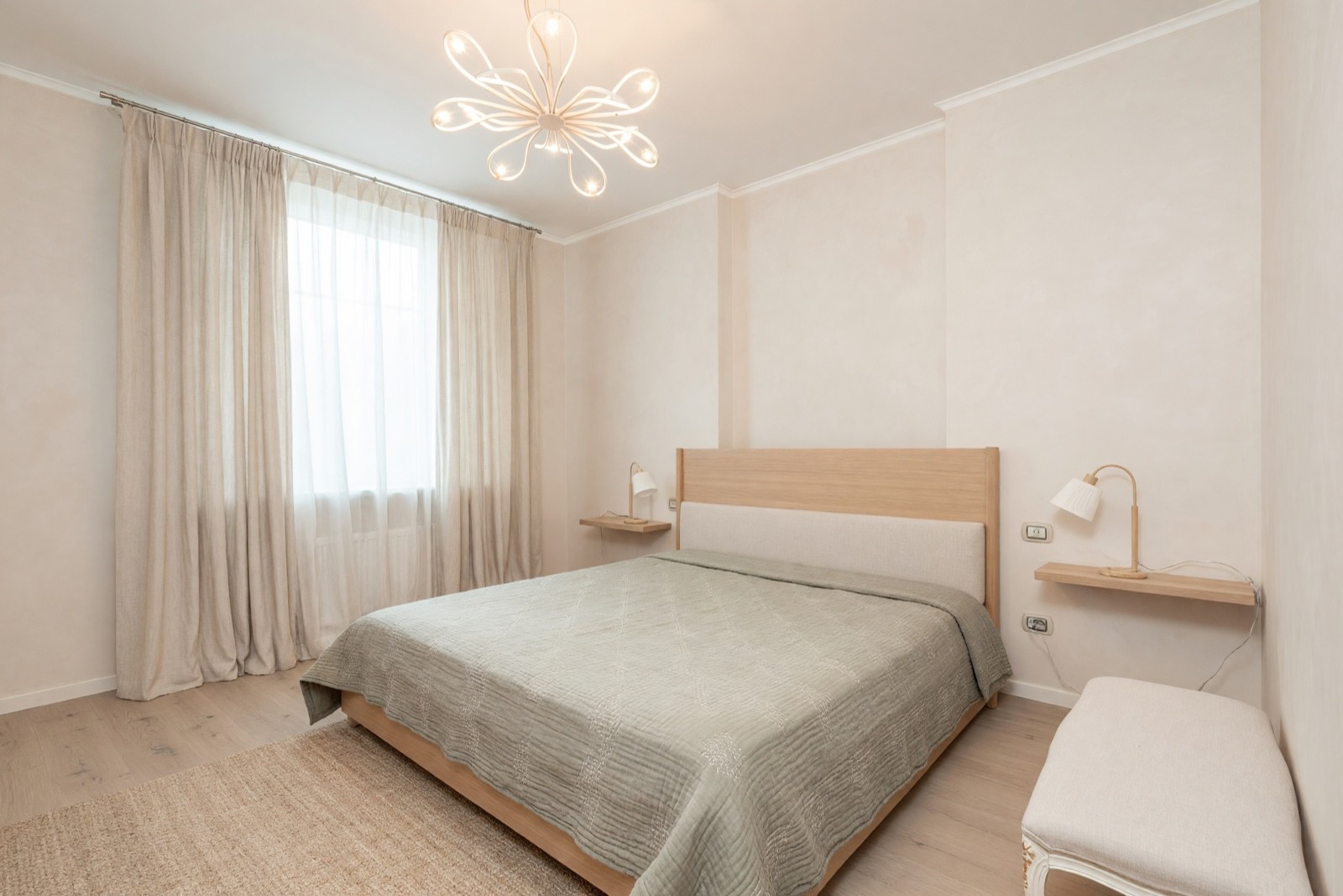
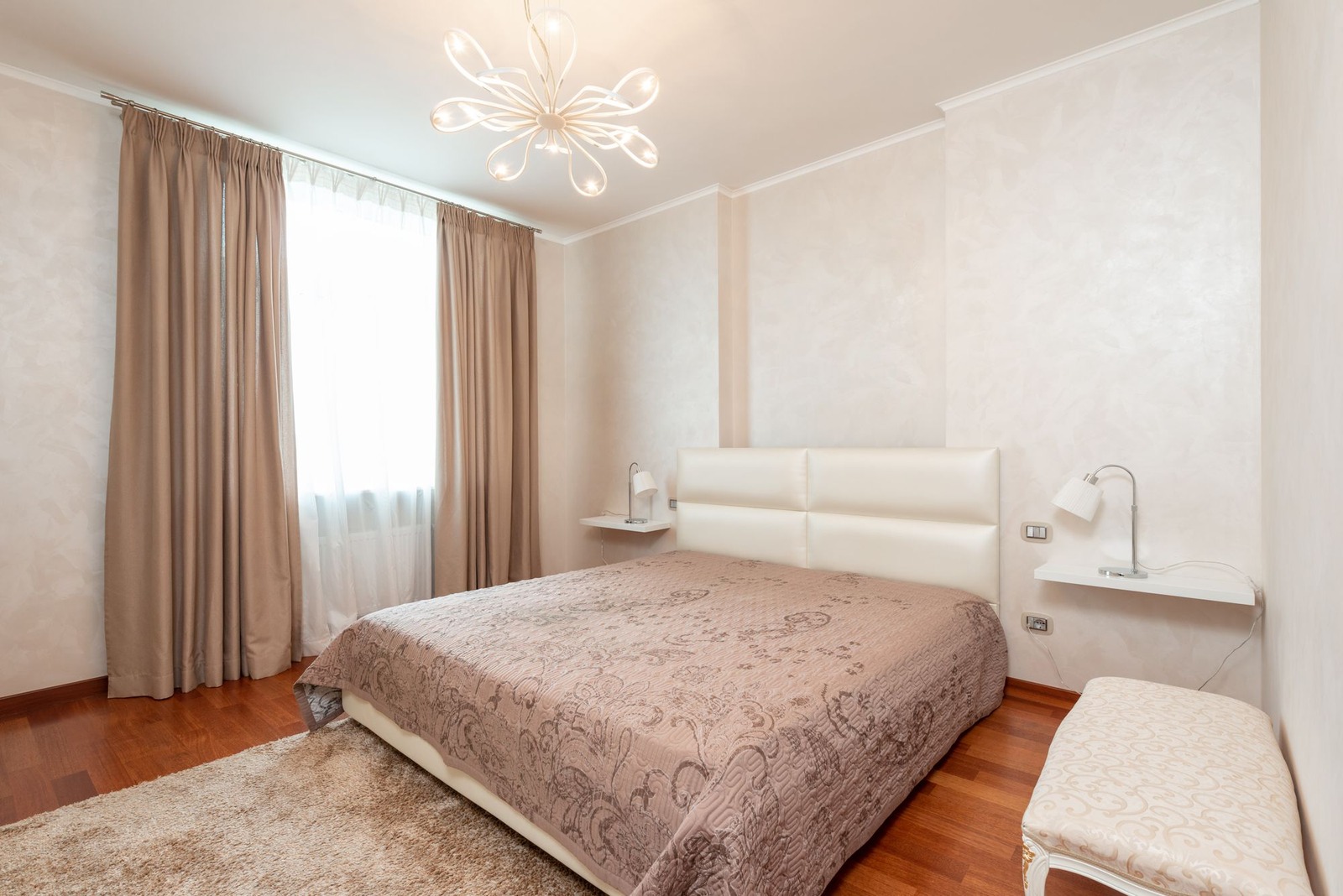
The bed, the shelves, the bench and the window are where they were. Finishes and textiles moved toward Japandi: pale wood, linen and muted green. The headboard was redrawn as a wood frame, which is more than a finish. For the same style across a whole living room, see our Japandi living room ideas.
3. You know the free limits before you upload
A free interior design app usually means a free plan with limits, not unlimited use. Before you upload a photo, find out how many designs the free plan includes. That number is also your number of tries, because you will redo some results. Then check whether free results carry a watermark, whether you need an account and whether free results may be used commercially, for example in a listing.
In HomeCompose, the free plan includes a limited number of designs, and Interior Design is on every plan. Free designs carry a watermark. Paid plans have no watermark and allow commercial use. Whatever tool you look at, read what the free version includes before you rely on it.
4. It works where you work: app or website
Some tools are apps you install, others run in a web browser. Neither is better, but it changes how you use them. A download uses space on your device. A website uses none, but it needs a connection. Check that the tool works on the device you will use. You may take the photo on your phone and want to review the result on a bigger screen.
HomeCompose is a web tool. There is nothing to download: open it in your browser on a computer or a phone, sign in to your account, upload a photo and choose your settings. An account is needed. Your designs are saved in it, so you can start on your phone and look again on your computer.
5. It is honest about what the picture is
Any AI result is an idea, not a plan. The AI can redraw small things you did not ask about, and furniture in the picture is invented, not a product you can order or a size you can trust. The next two rooms show what to look for. Both needed a second try. The first kitchen version redrew the hood and swapped the round window for a rectangular one, and the first bathroom version removed the bidet. These are the second versions.
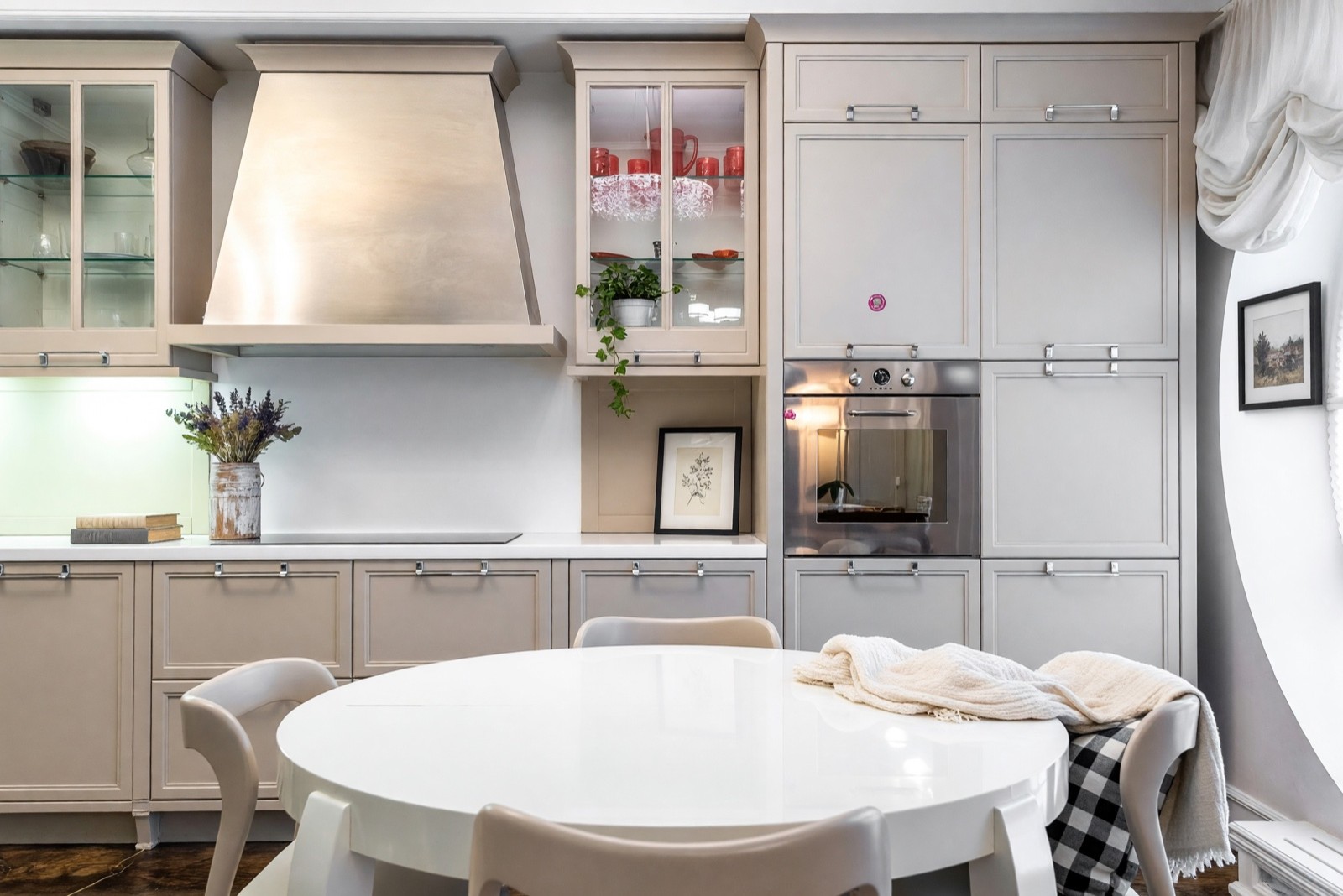
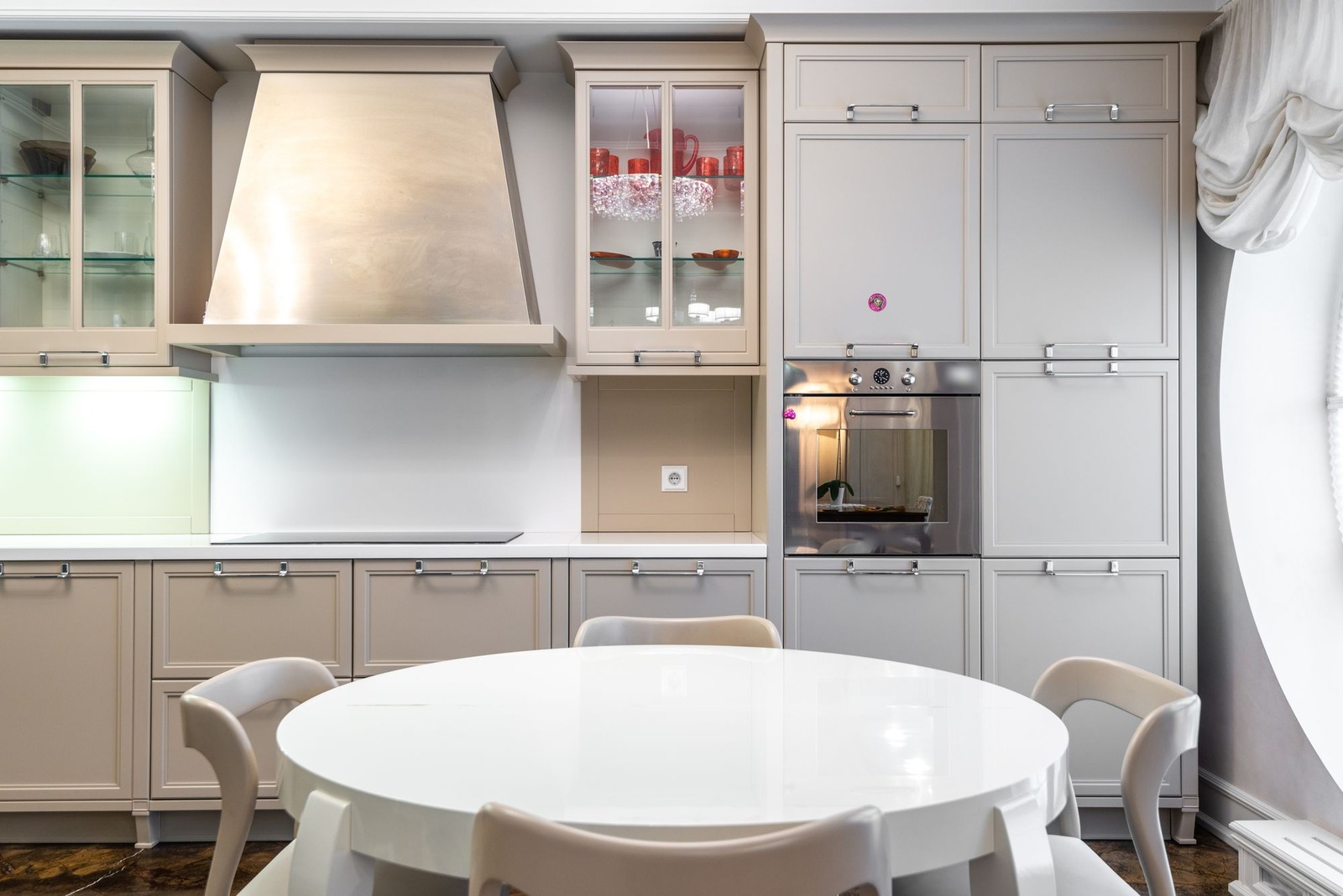
Light Touch did what it says: it added accents and left the cabinets alone. The picture over the round window is the kind of thing to catch, and so is the print that now hides a socket you may need.
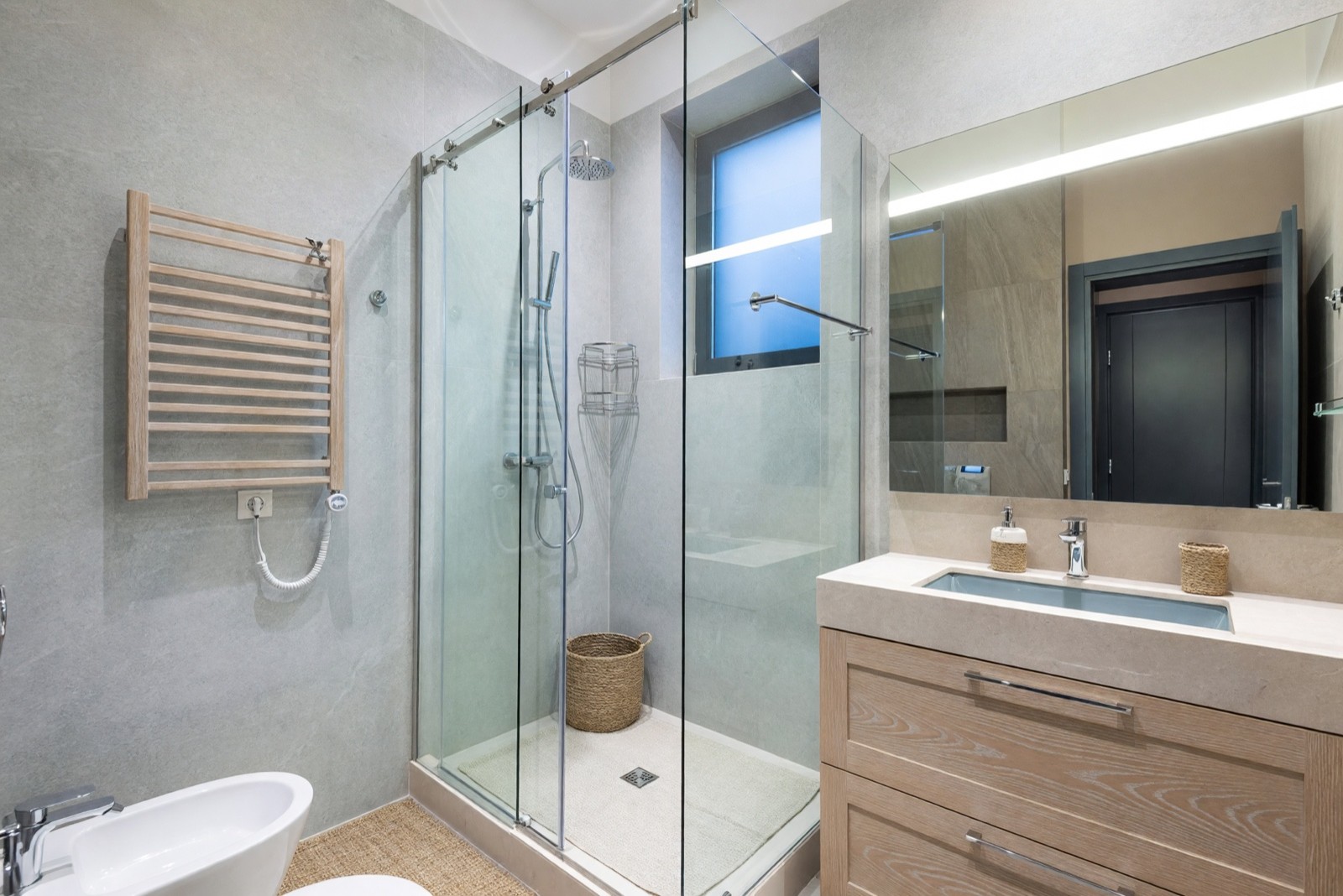
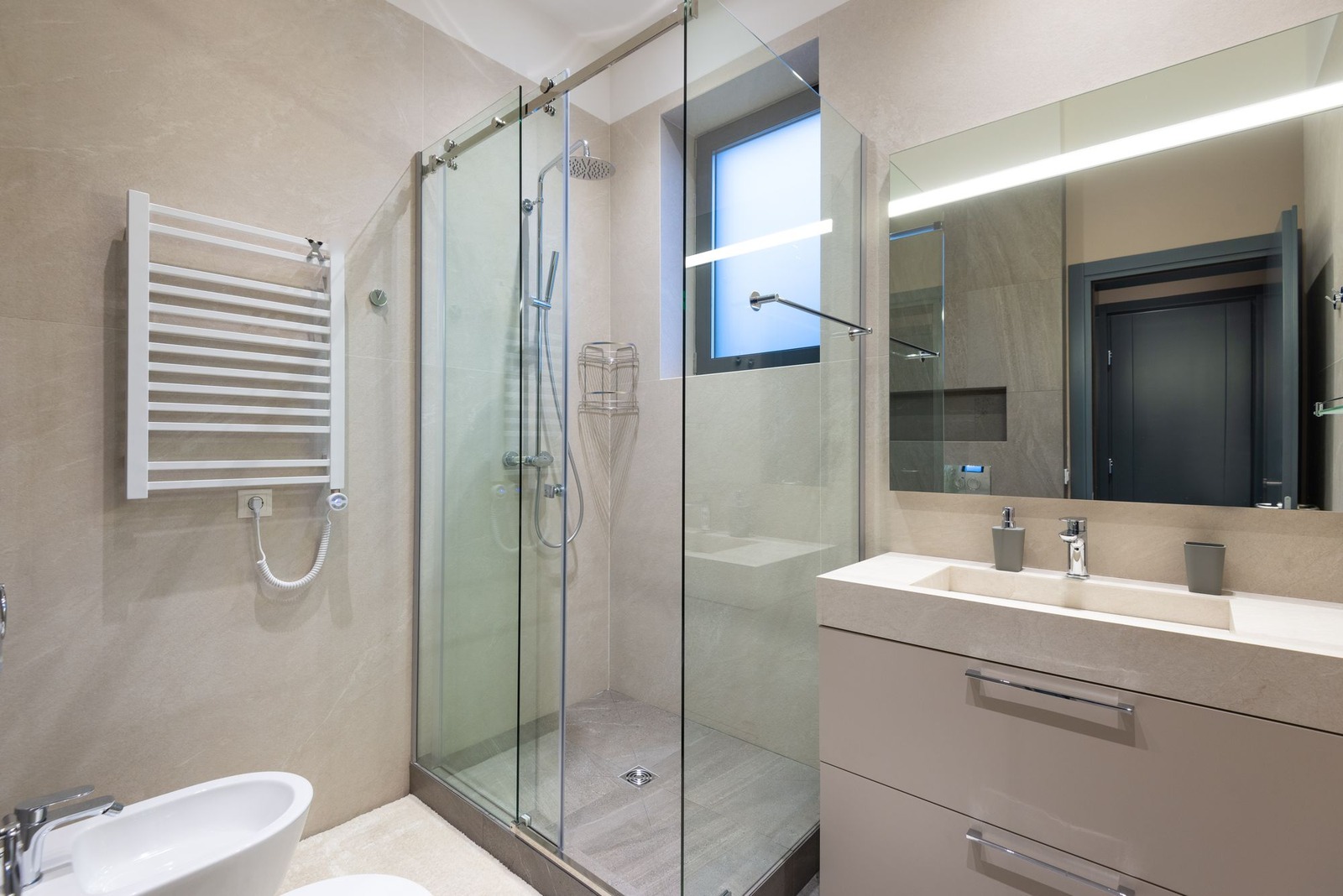
The wooden towel rail is the catch here. A heated rail is not normally made of wood, and the tray looks more like a mat than a shower tray. Treat the picture as a mood. Measure the real room, and check fixtures and details with a professional before you build or buy.
6. You know where your photos go
A room photo can show more than a room: family pictures, a street seen through a window, a house number. Before you upload, read the terms and the privacy policy of any tool. Look for who can see your photos, how long they are kept, whether you can delete them and how they are used. In HomeCompose, photos and designs are saved in your account so you can find them later.
Can AI design my interior?
Yes, as ideas on a picture. AI can restyle finishes, color, furniture, textiles and decor on a photo of your room and show you a direction in a few minutes. It cannot plan or measure the room, check that a sofa fits or know what is behind a wall. It also adds and drops small things on its own, as this home office shows.
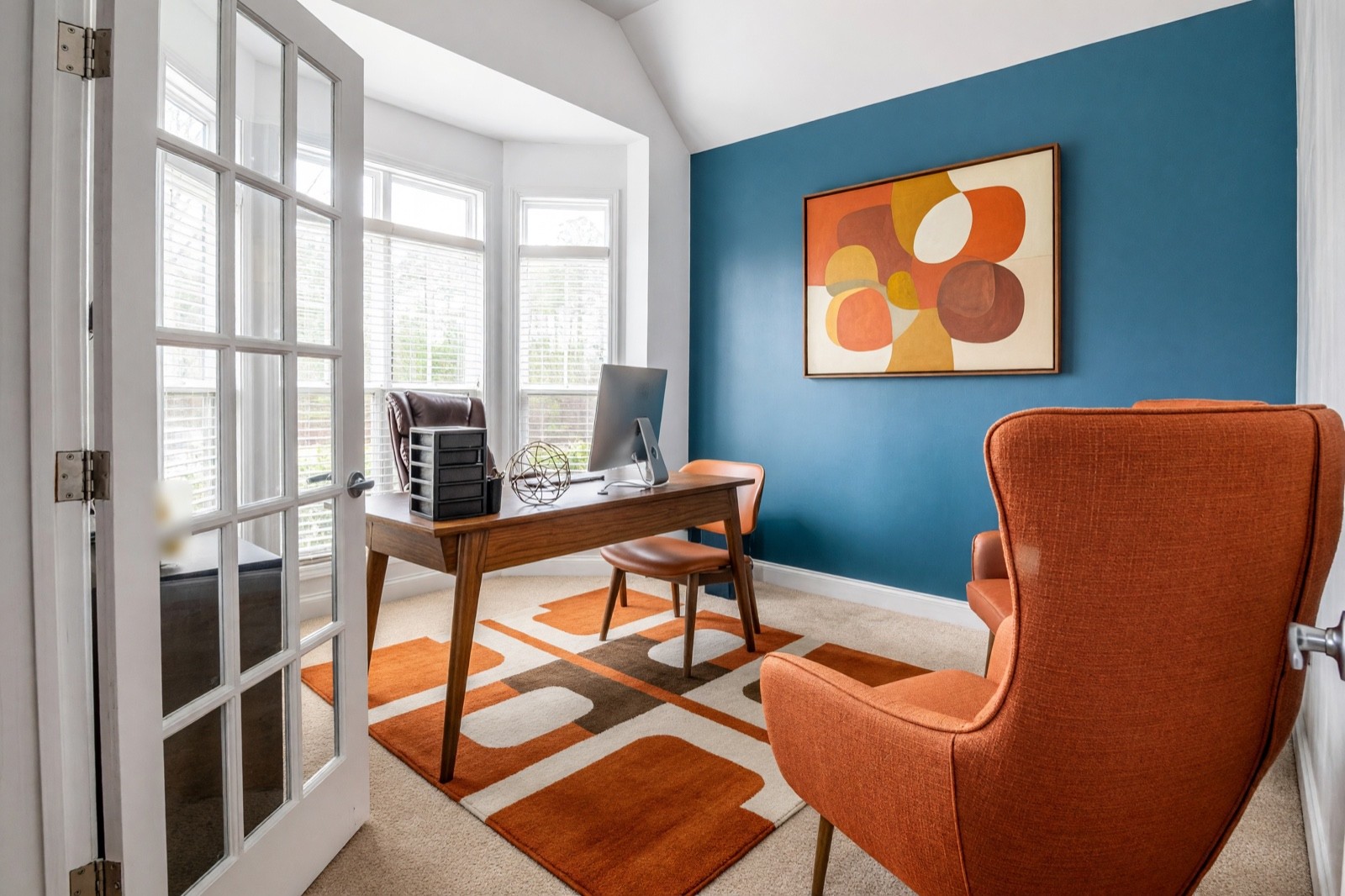
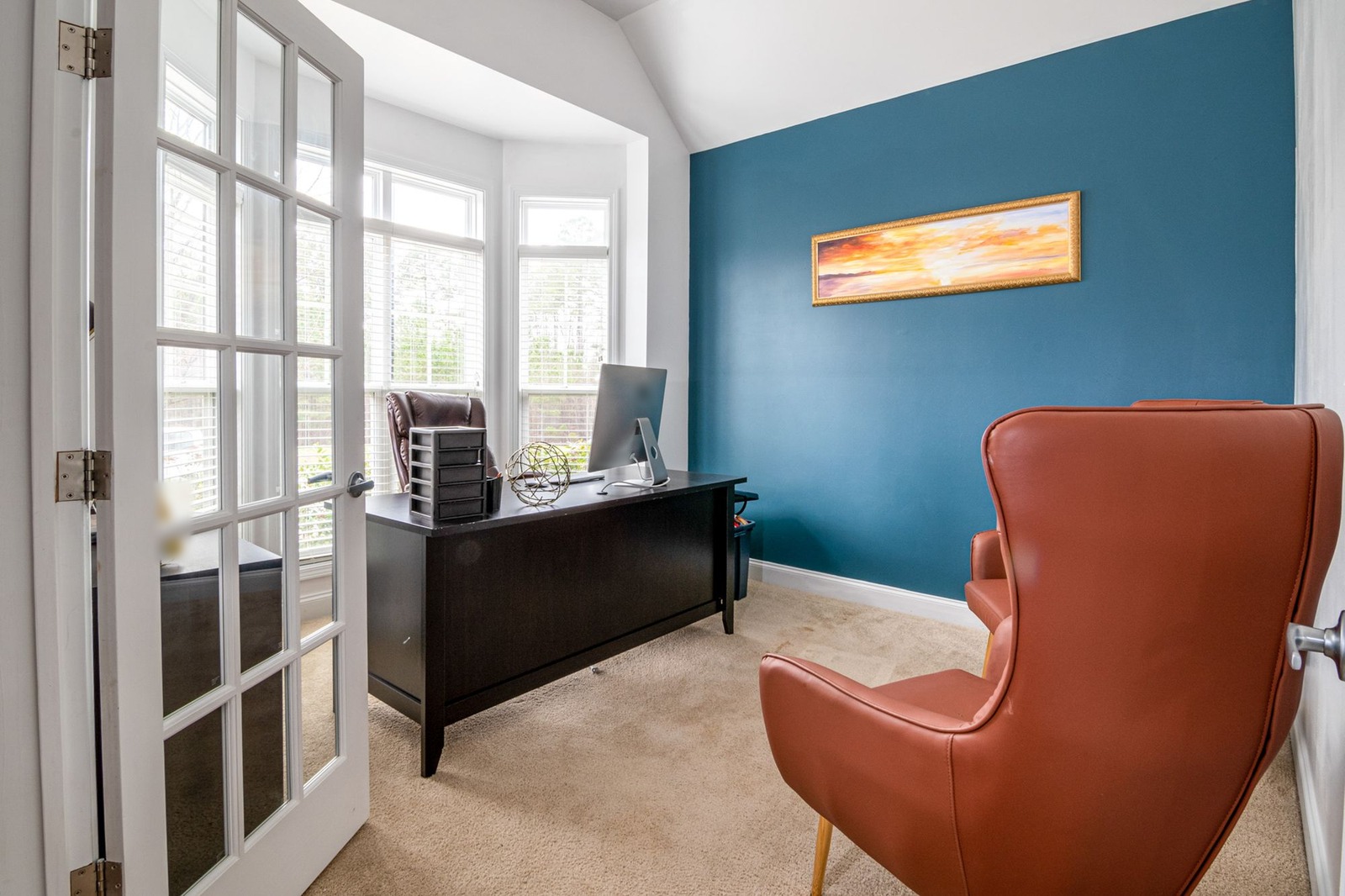
The desk, chair, rug and painting are a style idea you can react to. The missing bin is a change nobody asked for. Use the picture to decide on a direction, then measure the room and shop from what you find there.
Can ChatGPT do interior design?
As a thinking partner, yes. A chat assistant can help you decide what you want, explain style words and write a brief. A room picture it draws from a description is a new picture, not your room, so it often fails the first check above. Our guide to ChatGPT interior design covers what to ask it and what to check.
Is there a completely free interior design app?
Not in the sense most people hope. Free interior design apps, and free room design apps in general, usually have limits: a set number of designs, a watermark, fewer tools or smaller files. Some limits are fine and some are not for your use, so ask three questions before you upload anything. What exactly is free? What happens when it runs out? Can I use the free results the way I want?
Interior design app for iPhone or Android?
You do not need to find one. HomeCompose runs in the browser on an iPhone or an Android phone, so there is nothing to download. Take the photo, open the site, sign in to your account and choose it. Photos from a phone camera work, including HEIC files. Stand in a corner or a doorway, hold the phone level and show as much of the room as you can.
Our guide to redesigning a room from a photo walks through the steps, and designing your living room with AI goes through one room in detail.
Common mistakes when choosing an interior design app
- Choosing from a ranked list of names instead of testing one photo of your own room.
- Judging an app by its sample gallery. Samples show its best results, and your photo shows what you will get.
- Skipping the side-by-side check of windows, doors and fixed features.
- Using a floor-plan planner when you only have a photo, or the other way round.
- Reading the headline about the free plan and not its limits.
- Uploading photos before reading the terms and the privacy policy.
- Treating the picture as a plan, and buying furniture or starting work before measuring the real room.
- Stopping after one try. Run it again when a fixed feature changes.
Test the checklist on your own room
Take one plain photo of a room you know. Run it through Interior Design in Structural Preservation, then go through the six checks. Do the same in any other app on your list and compare the two side by side.
Frequently asked questions
What is the best interior design app?
There is no single best one, because apps do different jobs. Decide whether you want to restyle a photo, plan a floor plan or stage a listing. Then test one or two apps on the same photo of your own room and judge them with the six checks on this page.
What is the best free interior design app?
Free apps and free plans exist, and nearly all have limits, such as a number of designs, a watermark or fewer tools. The best free one is the one whose free version covers your job. Test it on one photo and read what it includes and what its terms say about your photos and about using the results.
Can ChatGPT do interior design?
It can help you plan a room: goals, style words, layout ideas and a brief. A picture it draws from a description is a new picture, not your room. For a restyle of your own photo, use a photo-based tool and compare the result with your original.
Do I need to download an interior design app?
Not for HomeCompose. It works in your browser on a computer or a phone, and you sign in with an account. Whatever you choose, check whether the tool is an install or a website before you start.
Is it free to try?
Yes. You can start on the free plan, and it includes a limited number of designs.