Design my living room with AI
To design your living room with AI, upload one photo of it, set the room to Living room, choose a style and how much should change, and compare the result with your own room. HomeCompose keeps the walls, windows and camera angle and redesigns what is inside, so you can try several looks before you buy anything. This guide gives the six steps, five real before and after results, the layout basics a picture cannot check for you, and what to measure before you shop.
AI living room design: what it can do and what it cannot
HomeCompose edits your own photo. It does not draw a floor plan or measure anything. In Interior Design the walls, windows and camera angle stay in place by design, and the AI redesigns what is inside them: furniture, rug, curtains, lighting, decor and finishes.
That makes it a good way to decide on a look, such as which style, which colors, or whether a darker sofa suits the room. It is a poor way to prove that a sofa fits. The AI invents furniture, can redraw small things and can make a room look brighter or roomier than it is, so treat every result as an idea and check it with a tape measure.
Design my living room with AI: the six steps
Yes, you can take a picture of your living room and design it: every step below starts from that one photo. The result is an idea to compare with the real room, and the AI may redraw small things.
- Decide what the room must do and note what cannot change.
- Take a clear photo of the whole room.
- Choose the style, palette and mode in Interior Design.
- Compare before and after against a short checklist.
- Try a second style, then lock one plan.
- Turn the picture into a measuring and shopping list.
Step 1: decide what the room must do
A living room usually does three or four jobs at once, and the design has to serve all of them. Write them down before you look at styles.
- Seating. How many people sit here on a normal evening, and how many when guests come?
- The screen. Is there a TV, and does it hang above a fireplace, stand on a unit or not exist at all?
- Other uses. Working from the sofa, kids playing on the floor, a reading corner, a dining table in the same space.
- Storage. Where do toys, books, blankets and cables go?
Then measure the room and note what cannot change: wall lengths, ceiling height, the size and position of windows and doors, the fireplace, radiators, vents and sockets, and any furniture you are keeping. The AI does not know these numbers, so they are yours to keep. Sorting everything into keep, could change and must have makes later choices quicker.
Step 2: take a photo the AI can work from
The photo fixes the camera angle, the walls and the light, and the result stays close to all three. So take the picture you would want to see redesigned.
- Stand in a corner or a doorway. Hold the phone level at chest height and show the seating, the main wall and as much floor as you can.
- Use daylight and switch the lamps on. A dim evening photo gives a gloomy design.
- Clear what you do not want redesigned. Laundry, boxes and cables can turn into decor. Cleanup can remove clutter from the photo first.
- Shoot a long room twice, from each end, and redesign each view on its own.
Step 3: choose the style, palette and mode
Upload the photo to Interior Design and set the room to Living room. The list also has Family room and Open kitchen living room if one of them describes your space better. Then make three choices.
- Style. There are more than a hundred, from Scandinavian and Japandi to Mid-century modern, Modern and Bohemian. Use the search box to find one quickly.
- Color palette. Pick a ready palette, set your own colors, or let Surprise Me choose.
- Mode. This decides how much changes. The four modes are in the table below.
If you already have a photo of a living room you like, Reference Style (Essential and Pro plans) applies its look to your own photo.
| Mode | What changes | Try it when |
|---|---|---|
| Light Touch | Only a few small accents are added: plants, cushions, a throw, art | You like the room and want to see what accents would add |
| Structural Preservation | Furniture, rugs, textiles, lighting, decor and finishes; the furniture placement stays familiar | A safe first try for most living rooms (the default) |
| Bold Interior | Everything inside the room, including the flooring, the wall finishes and built-in shelving | The room needs a new scheme but keeps its shape |
| Full Makeover | All of that, plus the ceiling, the doors and the wall colors | You would change the room from floor to ceiling |
In all four modes the walls, windows and doorways stay where they are. Start with Structural Preservation. If the result stays too close to what you have, move up a mode; if it changes more than you wanted, move down.
The five examples in this guide are real living rooms from licensed stock photos, redesigned in Interior Design with the room set to Living room. In four of the five photos, small readable items such as labels, book covers and a TV logo were softly blurred for privacy. All five use Light Touch or Structural Preservation, so a Bold Interior or Full Makeover result will differ more from your photo.
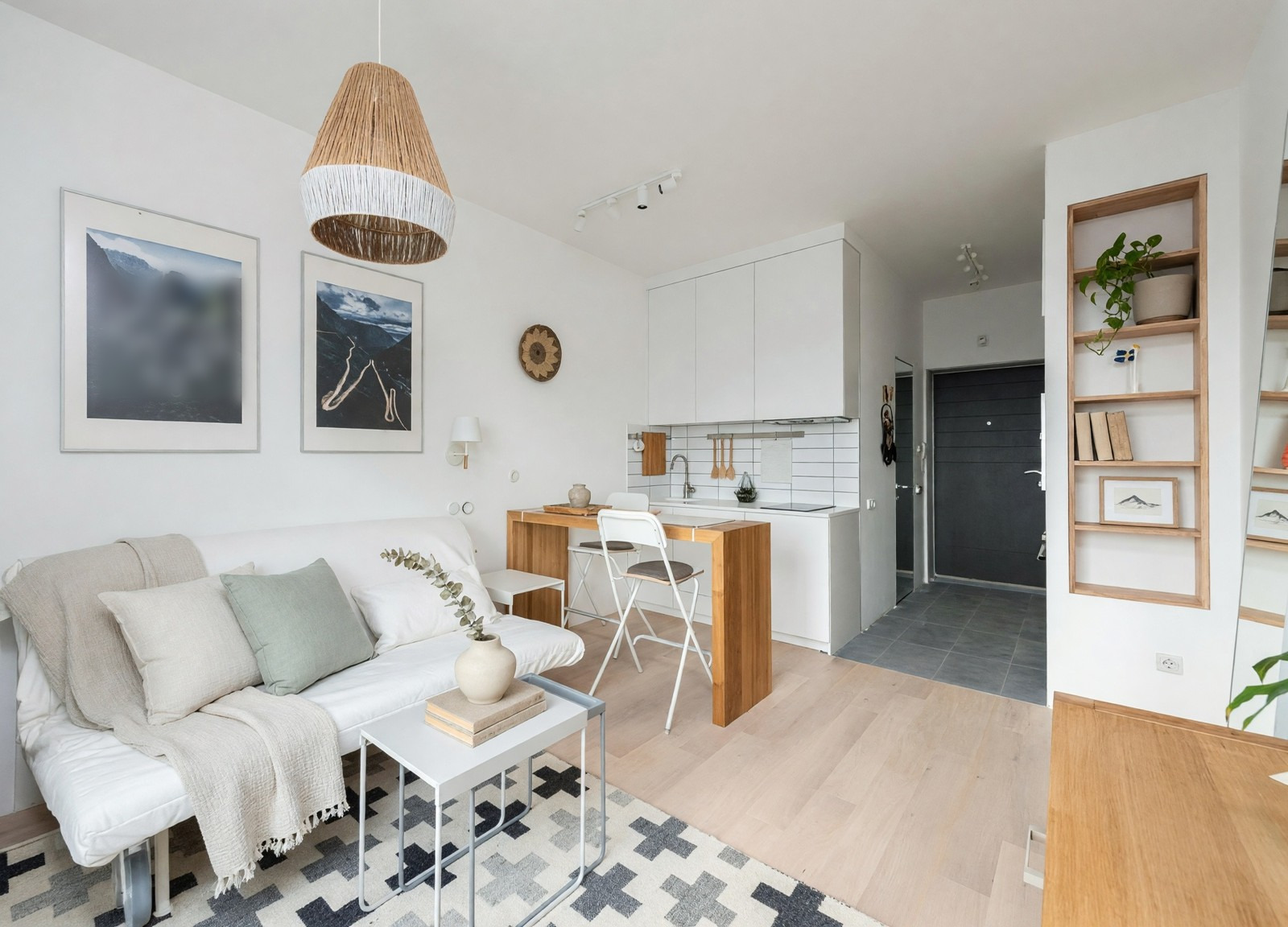
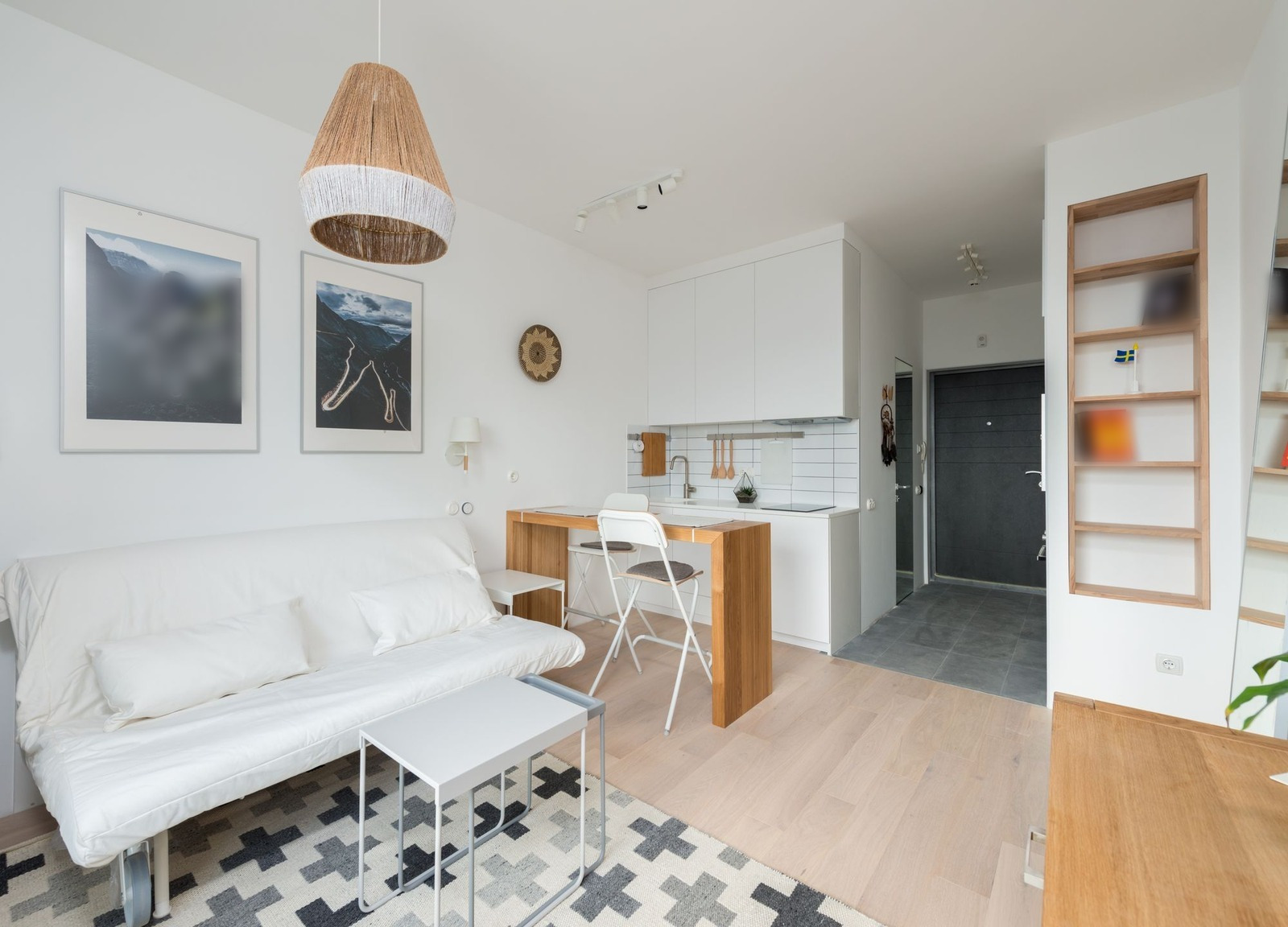
Light Touch is the quickest way to learn what small additions do: texture on the sofa, something green on the shelf. Nothing large moves.
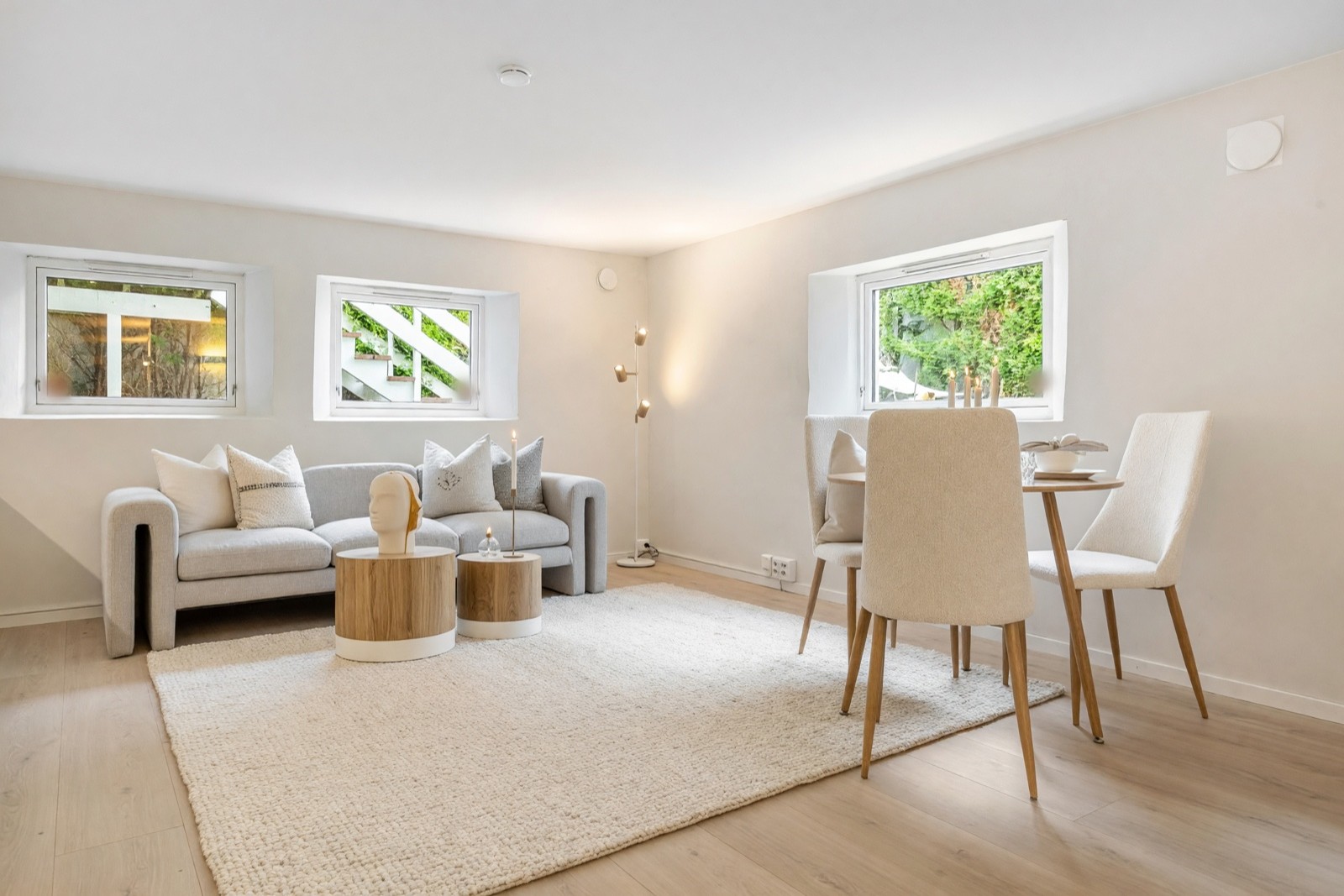
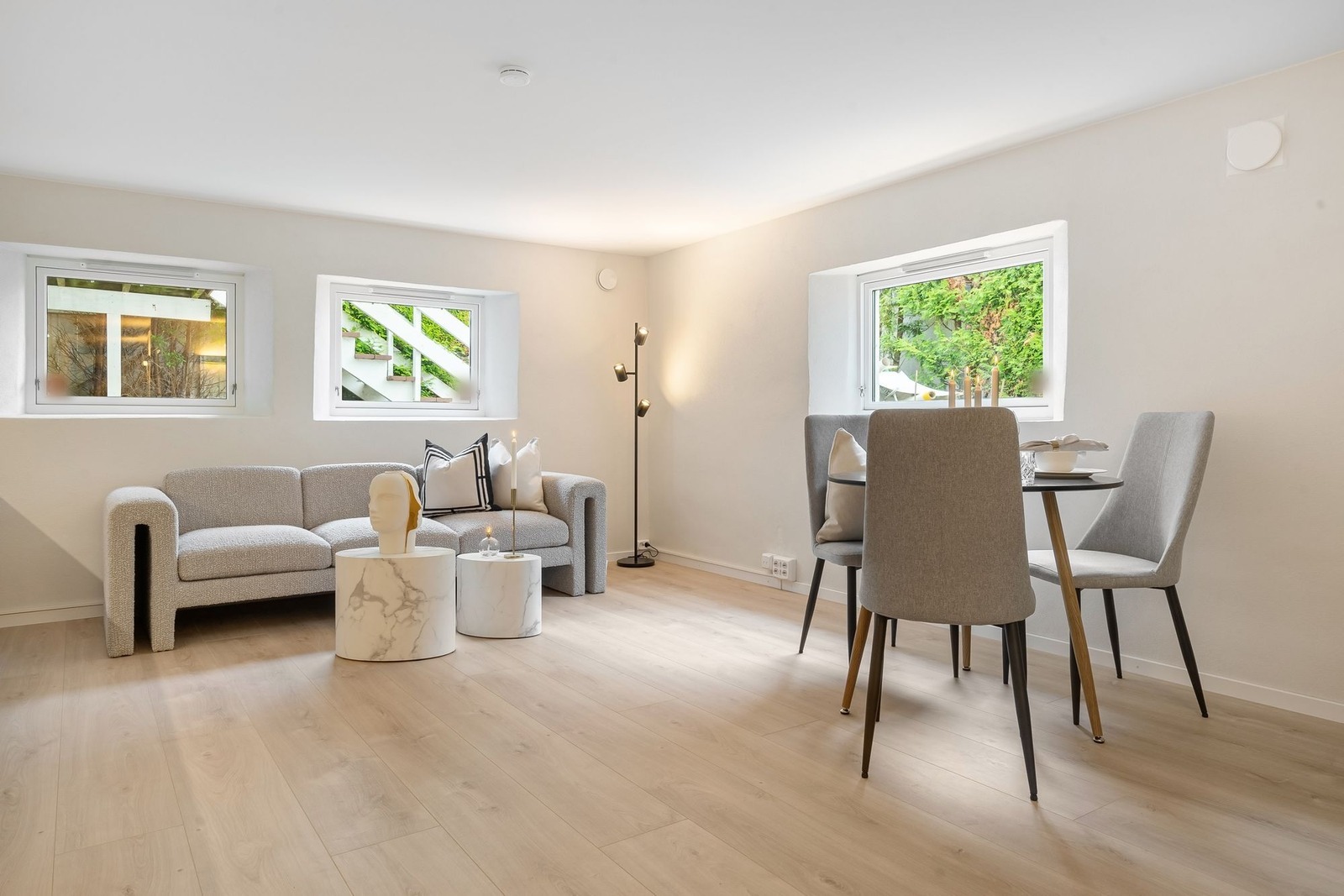
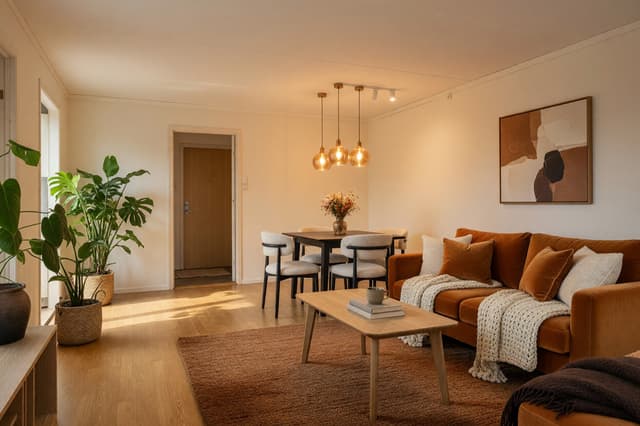
Here the sofa kept its shape and place while a rug the room did not have tied the sofa and the low tables together and ran on toward the dining set. The rug is a design idea, not a shopping list.
Step 4: compare before and after
Put the result next to your original photo and go through this list slowly.
- Seating and walkways. Can you still walk from the door to the sofa and to the window without squeezing past a table? Draw the route on the photo.
- Focal point. Is it clear what the seating faces: the fireplace, the TV wall or the window?
- Scale. Compare the sofa and rug with the windows and doors. A sofa that looks right under a window may be too wide for your wall.
- Light. The picture may be brighter than your room on a winter evening. Imagine your own lamps and bulbs.
- The TV wall. Is the screen where it really is, and can you see it from every seat?
- What disappeared. Check the corners and the edges for pieces you own and need.
That last point is real. In the fireplace room below, the AI restyled the sofa, chair, tables and rug as expected.
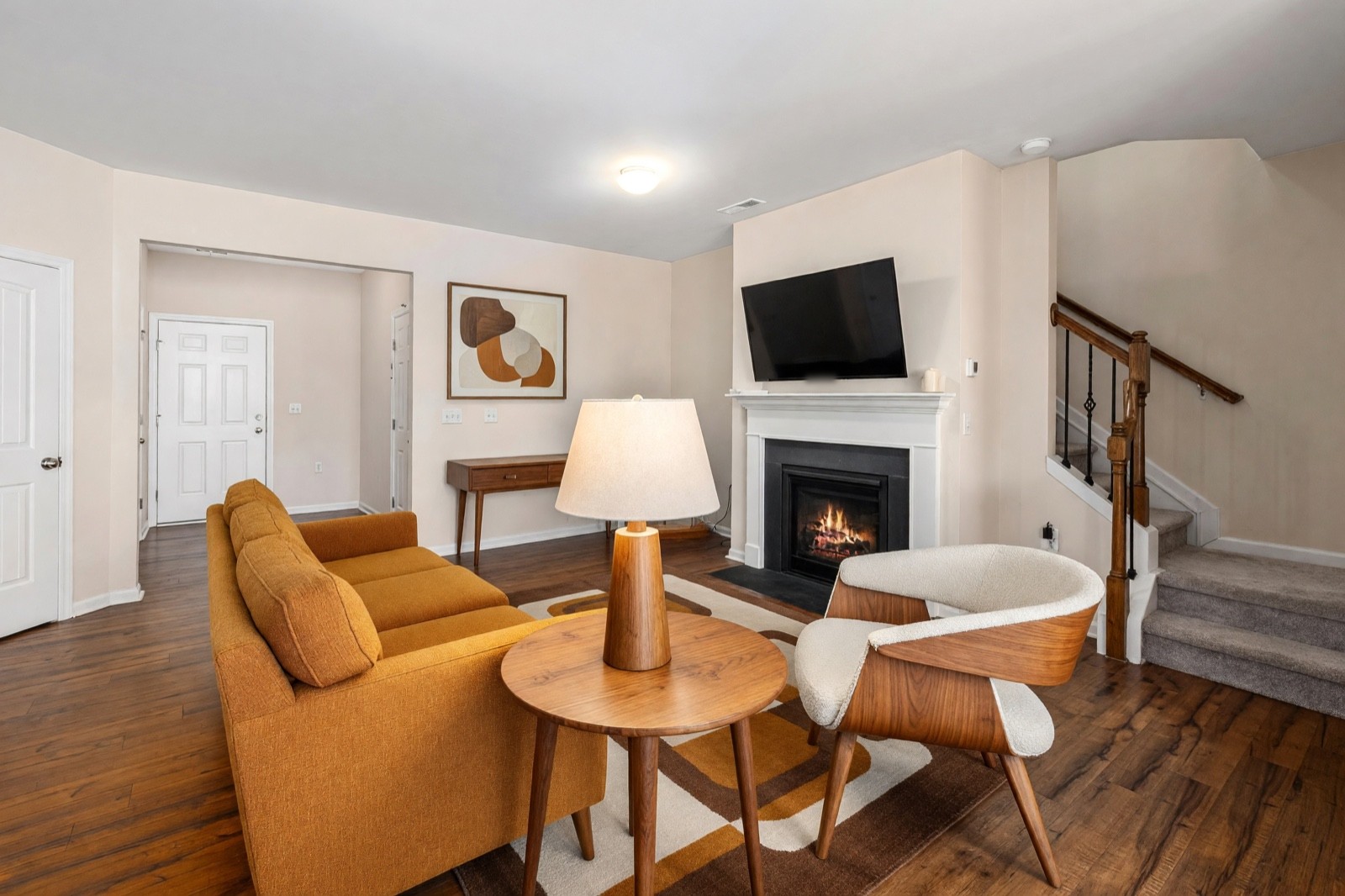
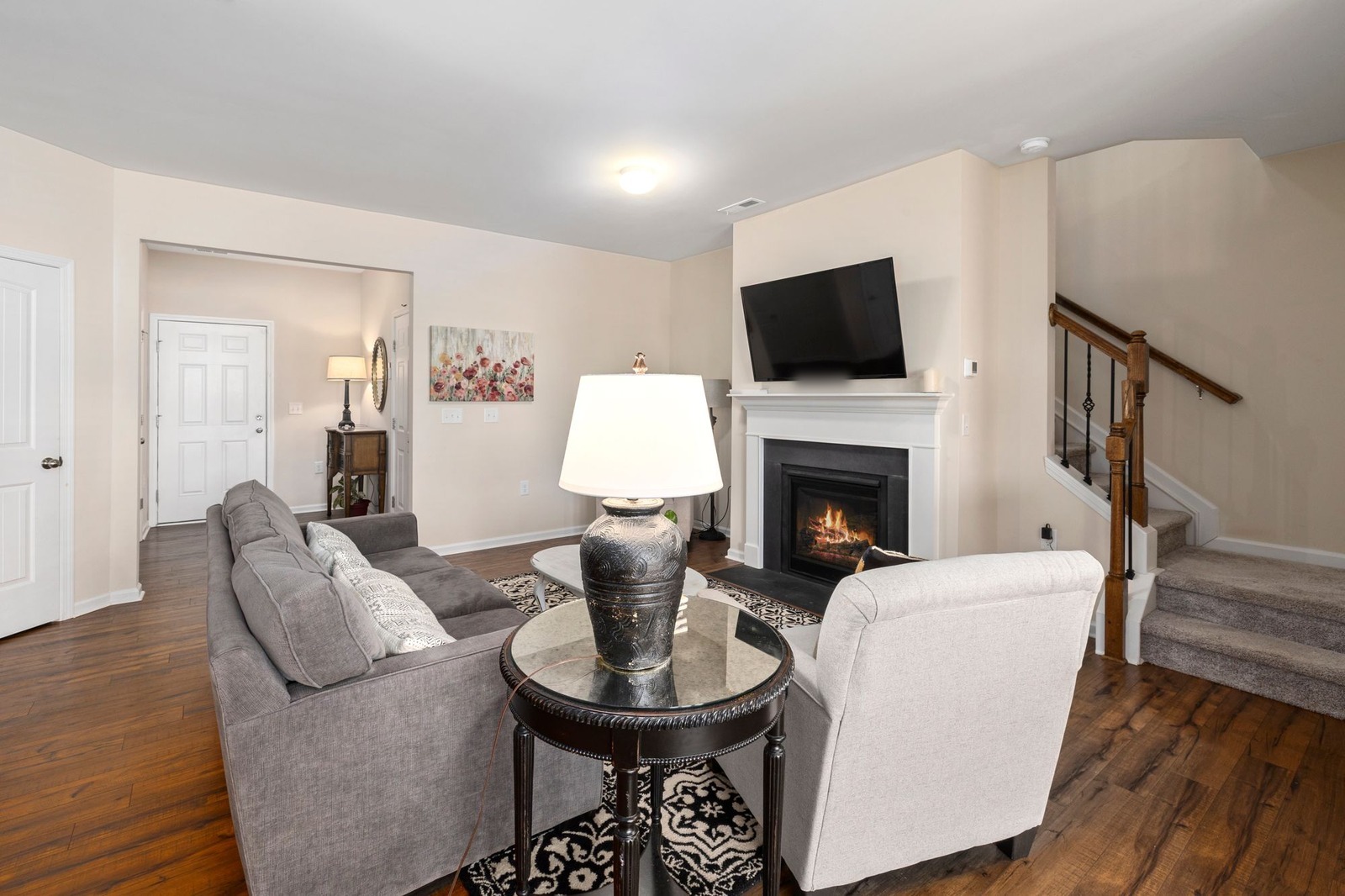
Several things vanished without being asked: the coffee table, the floor lamp by the fireplace, and the chest, lamp, mirror and plant in the hall. The console that appears is a new piece in a new place, not the old chest. If one of them matters to you, such as a surface next to the sofa, add it back in your plan. The picture shows a version of the room, not an inventory of it.
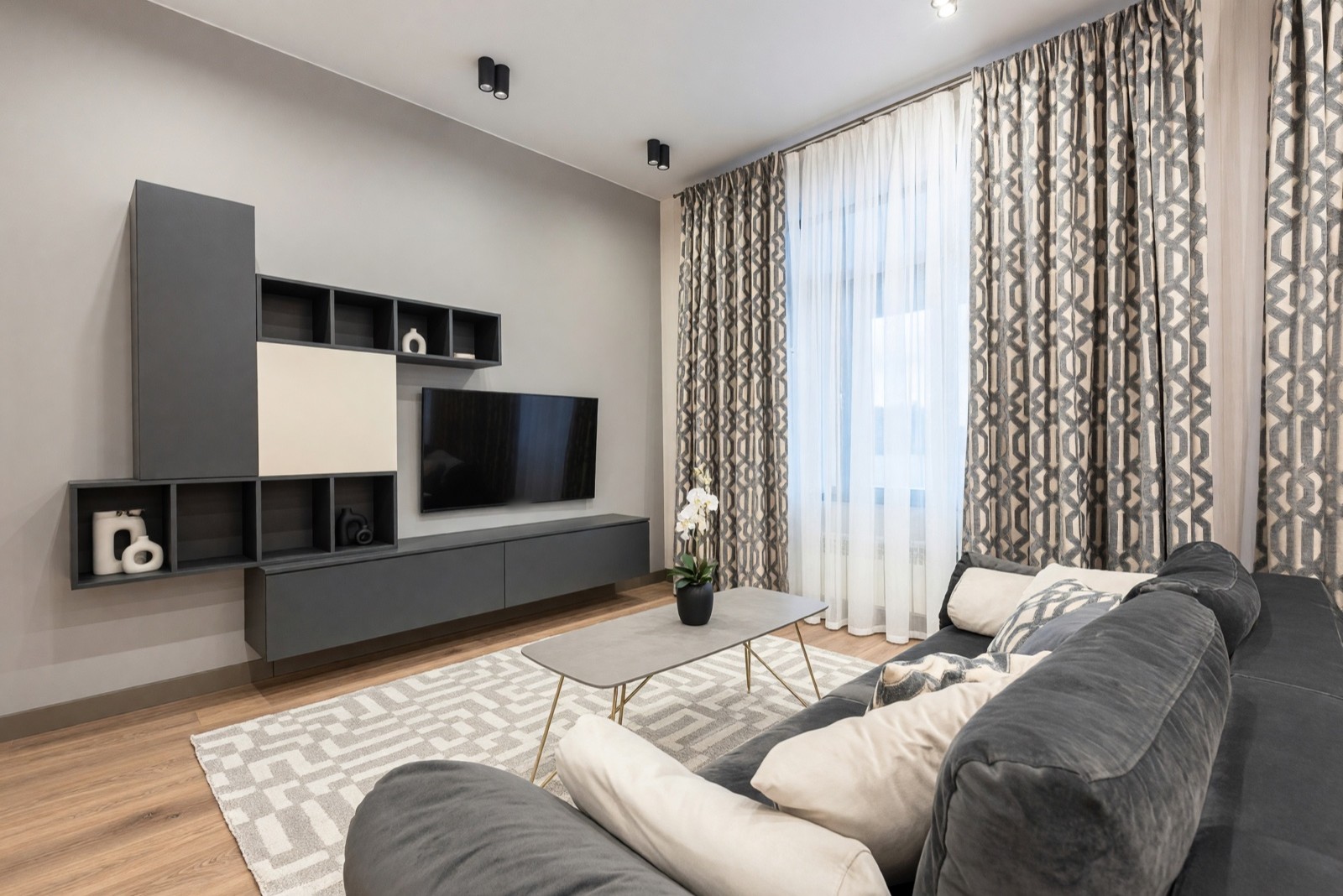
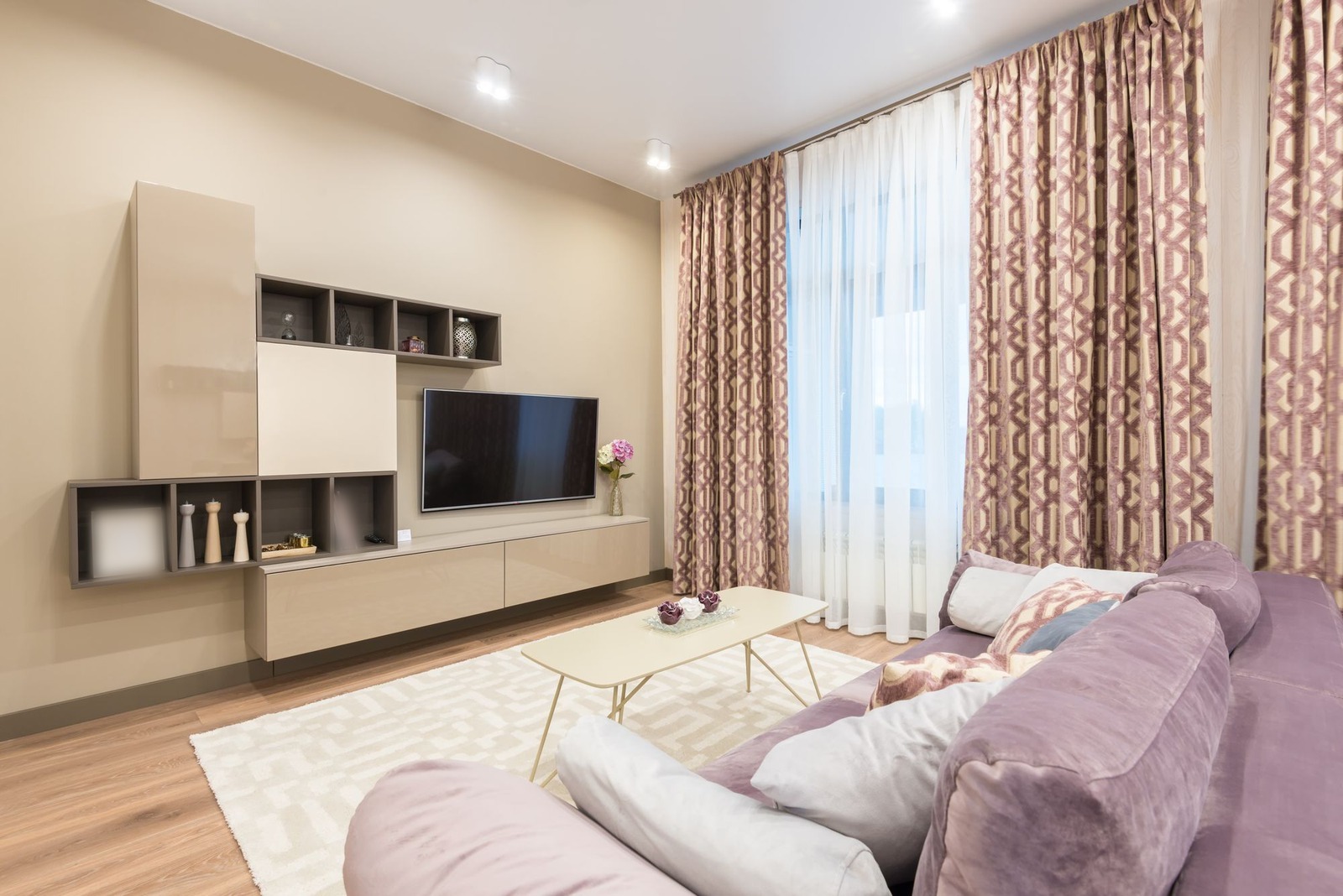
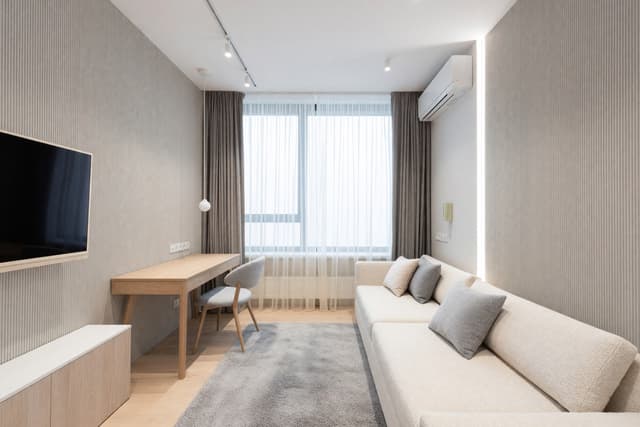
This is what a good TV wall result looks like for layout: the screen, the cabinets and the window did not move, and the changes are surfaces and small decor. The look is a much darker scheme, so judge it against your own light. To test only a wall color, Paint changes the wall alone, and living room paint colors shows six examples.
Living room layout basics the picture cannot check
These are general interior design starting points, not something HomeCompose measures or checks. Use them as questions to ask of any result, including your own.
Pick one focal point
Most living rooms work best when the seating faces one thing: a fireplace, a TV wall or a view. If the sofa faces a window and the TV is behind it, decide which wins.
Group the seating for conversation
Seats that face each other, roughly within 8 to 10 ft (2.4 to 3 m), make talking easy. A coffee table is usually comfortable about 14 to 18 in (35 to 45 cm) from the sofa edge.
Leave room to walk
A common starting point is about 30 to 36 in (75 to 90 cm) for the paths people use most, and at least 24 in (60 cm) for the quieter ones. Mark the route from the door on your photo and check that nothing blocks it.
Size the rug
A rug that only fits under the coffee table tends to look small. A common rule is that at least the front legs of the sofa and chairs sit on it, so the seating reads as one group.
Layer the light
One ceiling light rarely does everything. Aim for three kinds: general light from the ceiling or wall, task light such as a reading lamp by the sofa, and accent light on art or shelves. Warm bulbs around 2700 K suit most living rooms.
If the furniture is already in the room and the arrangement is the problem, Layout Boost moves your furniture into a better arrangement. Its options are Fine-tune, Balanced, Conversation and More Space. In its default mode, Interior Design keeps the placement familiar instead. Either way, check that every piece is still there and that nothing is doubled.
Group decor with the 3-5-7 rule
The 3-5-7 rule is a designer rule of thumb, not a standard, and people describe it in slightly different ways. The usual idea is to group decor in odd numbers (three, five or seven objects) rather than pairs, because an odd group looks less stiff. Try it on the coffee table or a shelf: three objects of different heights, such as a tray, a small plant and a stack of books, then take one away if it feels crowded. Cozy living room ideas shows how layered decor looks in real rooms.
Step 5: try two styles, then lock one plan
Run the same photo twice and change only the style. Two results side by side tell you more than one: you see what you like about each, such as the warm wood or the gray sofa, and what you do not. Change one setting at a time, because if you change the style, the palette and the mode together you cannot tell which choice did what.
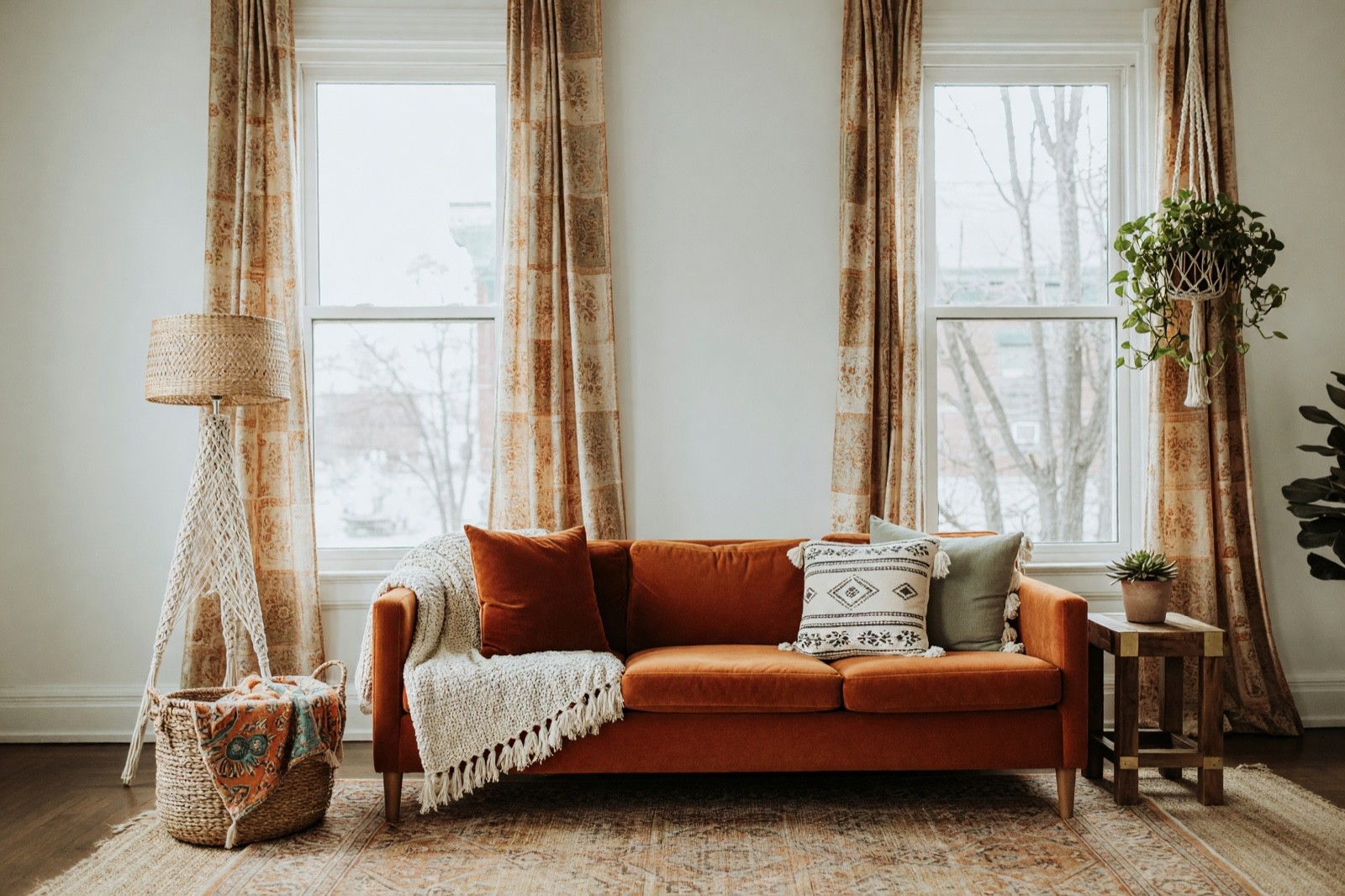
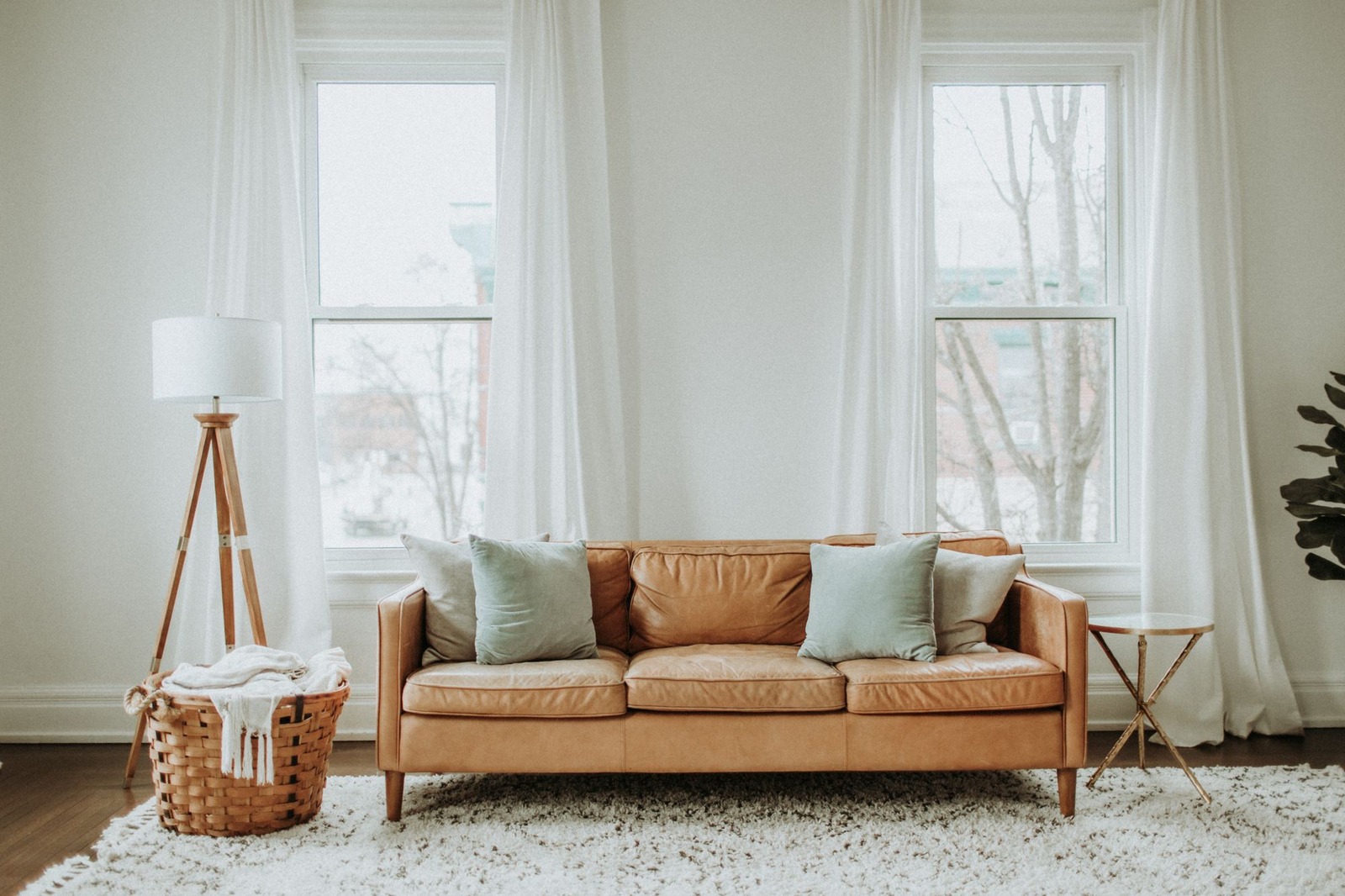
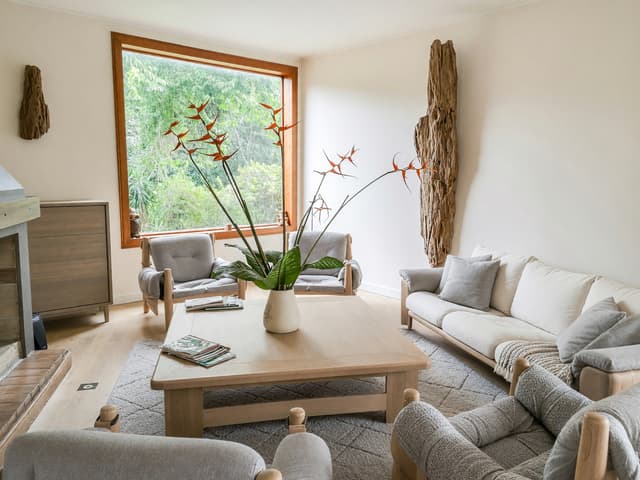
This result shows what one style does when the mode stays the same: the sofa, curtains, rug and lamp all follow one mood, while the windows and floor stay. Put it next to a calmer style on the same photo, such as the ones in Japandi living room ideas or cozy living room ideas, and ask which you would live with every day. For a tight room, small living room ideas shows what works in less space.
When one look wins, turn it into a short plan:
- Main pieces first: sofa color and size, rug, one or two lamps.
- Three colors: one for the walls, one for the large furniture and one accent.
- What stays from the old room, such as the TV unit or a good armchair.
- One surface at a time if you only want to test it: Floor Restyle for the floor, with six more examples in living room flooring ideas.
Step 6: turn the picture into a measuring and shopping list
The picture shows the direction. The list is what you take to the shop, with a size and a color or material for each item.
- Room: wall lengths, ceiling height, window and door positions and sizes, and the width of the paths you want to keep.
- Sofa: the longest and deepest piece your wall and walkways allow, and how many people it should seat.
- Rug: a size that puts at least the front legs of the seating on it.
- TV: the wall, the screen size and the height for a seated eye level.
- Light: how many sources, at which heights, and the bulb color.
- Colors and materials: collect real samples and look at them in your room, in daylight and in the evening.
Structural, electrical and plumbing changes, such as moving a socket for the TV or a radiator, need a qualified professional and may need a permit.
Common mistakes
- Judging the style before the layout. A beautiful sofa in the wrong place still blocks the room.
- Reading sizes from the picture. The image does not measure your room, so furniture can be larger or smaller than what fits.
- Changing everything at once. Style, palette and mode together hide what caused a change.
- Shopping from the picture. Use it to choose a direction, then buy against the measured list.
Can I design my living room for free online?
Yes, within limits. Free apps and online tools usually cap how many designs you can make, put a watermark on the pictures or keep their better features for paid plans, so read the terms before you start. Three things to check in any of them:
- The design limit. How many pictures the free plan includes.
- The watermark. Whether free pictures carry one.
- Your own photo. Whether it works from a photo of your living room or only from a stock room.
In HomeCompose, Interior Design is on every plan, including the free plan, which includes a limited number of designs. Designs made on the free plan carry a HomeCompose watermark. That is enough to test a style and a mode on your own living room.
Room planner or 3D room design: what this guide does not do
This guide is a photo restyle, not a room planner and not a 3D model of your room. A room planner works from measurements: you enter wall lengths and place furniture to scale, which is what proves that a sofa fits. If you already have a 2D floor plan, 3D Floor Plan (Pro plan) turns it into a furnished 3D-style picture, either angled or from above. It is a picture to look at, not a measured drawing or a model file, so keep measuring separately with the list in step 6.
Honest limits of AI living room design
A result is a picture of an idea. The AI invents the furniture you see, so a sofa in the image does not exist in a shop in that size and color. The tool is built to keep the walls, windows and doorways in place in every mode, yet the AI can still redraw a window frame, a door, a radiator or a vent, and the bolder modes redo more surfaces, so compare the edges and the fixed parts closely. It can also drop or add small things, as the fireplace room shows. Use the picture to agree on a direction with family or a contractor, and use your own measurements for everything else.
If the living room is empty, Virtual Staging (Pro plan) furnishes it first. For the same method in any room, see how to redesign a room from a photo with AI; this guide is about the living room. To compare apps before you pick one, see how to choose an interior design app. The HomeCompose guides page has more how-tos.
Frequently asked questions
Can AI design my living room from one photo?
Yes, as a visual idea. Interior Design redesigns the furniture, rug, curtains, lighting and finishes in your photo and keeps the walls, windows and camera angle. It is a picture to compare with your room, not a measured plan, so check sizes before you buy.
Which mode should I start with for a living room?
Start with Structural Preservation, the default. It refreshes the furniture, textiles, lighting and finishes and keeps the room's shape. Move up to Bold Interior or Full Makeover if the result stays too close to what you have, or down to Light Touch if it changes more than you wanted.
Can AI rearrange my furniture?
In its default mode, Interior Design keeps the furniture placement familiar. For a new arrangement of the furniture you already have, use Layout Boost, then check that every piece is still there. Neither tool measures your room.
Will the furniture in the picture fit my room?
Not necessarily. The AI invents the furniture and the image does not measure your room. Measure the wall, the walkways and the rug area, then look for pieces in those sizes.
Is it free to try?
Yes. You can start on the free plan, and it includes a limited number of designs.